

Fire TV guide
WireGuard VPN for Fire TV
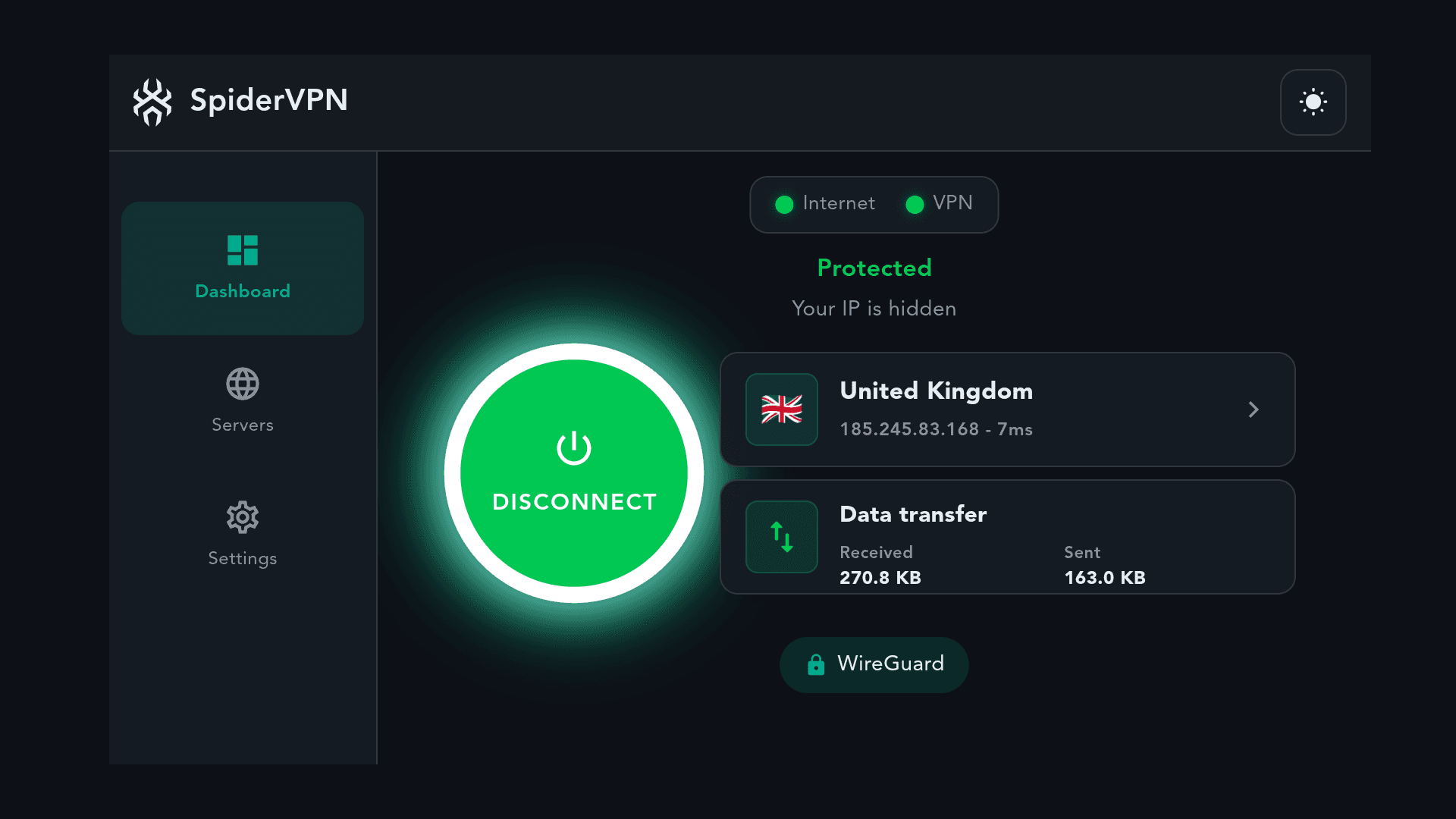
SpiderVPN is a WireGuard VPN app for Fire TV devices and Fire tablets (Fire OS). Install it from the Amazon Appstore, sign in with your phone, then choose a location and connect. While you're connected, SpiderVPN DNS blocks known advertising and tracking services. It's on by default.

Before you start
Subscribe in the app through Amazon, or sign in with an existing SpiderVPN account.
New Amazon subscribers get a 14-day free trial. Monthly or annual plans; the app shows the prices the Amazon Appstore offers. It's managed and cancelled in your Amazon account.
Steps
02
Sign in with your phone
Open SpiderVPN on the TV. The sign-in screen shows a Sign in with your phone panel with a QR code, a web address and a sign-in code.
- Scan the QR code with your phone camera, or go to the address shown and enter the code. You can also approve it in the SpiderVPN phone app by entering the 8-letter code shown on your TV.
- The TV shows Approved. Signing you in… and signs in.
Verify your account's email address before approving on the website. If the code has expired, choose Get a new code. You can also type your email and password into the form beside the panel.
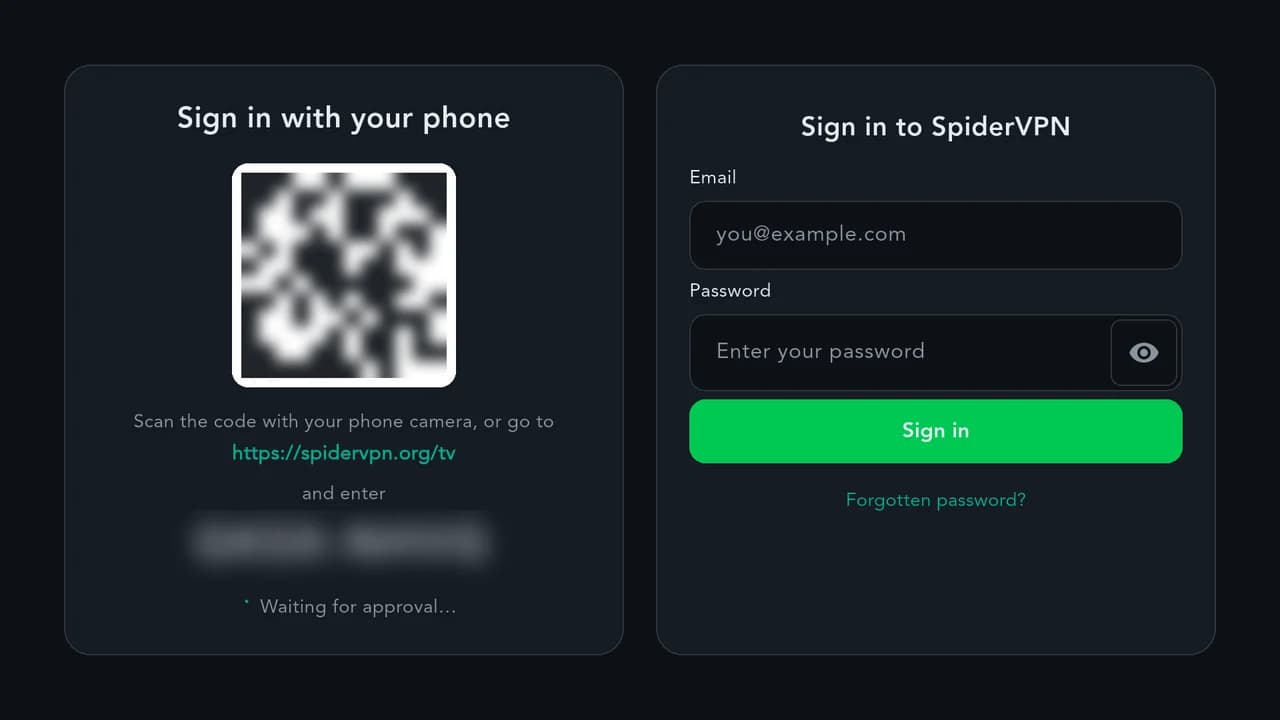
The sign-in screen in the SpiderVPN TV app. The code is blurred in this picture. 03
Connect
Choose a location from Available Locations, or one under Quick Connect when the app shows it. The app shows Protected while the VPN is connected.
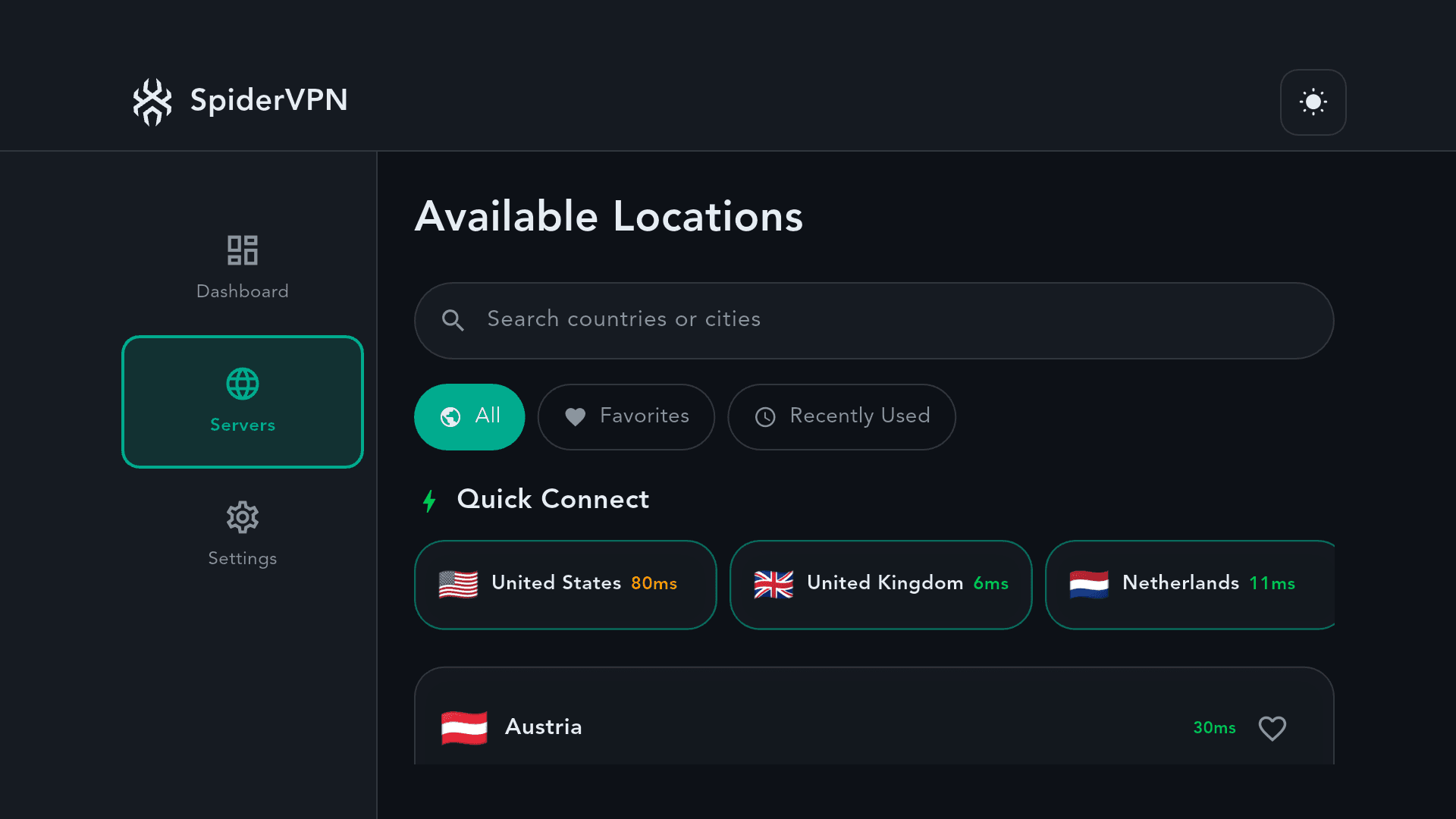
SpiderVPN on Fire TV showing the Available Locations list.
Good to know
- Your Fire TV counts as one device on your account. One account, up to 10 devices at once (see downloads). The current locations are listed in the app.
- If a website or app doesn't load, our DNS may be blocking a known ad or tracking service. See support.
- To protect a TV or console that can't run the SpiderVPN app, connect it to a SpiderVPN router, or set up SpiderVPN on your own router.
Need help?
Our support team helps with your account, the app and sign-in.
Apple, iPhone, iPad, Mac and Apple TV are trademarks of Apple Inc., registered in the U.S. and other countries and regions. App Store is a service mark of Apple Inc. Amazon, Amazon Appstore, Fire TV and all related marks are trademarks of Amazon.com, Inc. or its affiliates. Android, Google Play and Android TV are trademarks of Google LLC. Windows is a trademark of the Microsoft group of companies. Linux is the registered trademark of Linus Torvalds in the U.S. and other countries. OpenWrt is a registered trademark of Software Freedom Conservancy. SpiderVPN is not affiliated with or endorsed by the OpenWrt project.